Here we will introduce the first abstract that will help us to practice topics like test plan and test case creation, or bug writing. In the future when we start having the tutorials about automation, API testing and performance testing, we may add more of them. Or may not, if we don’t want more work (alright, alright, we will). The first scenario is evolved around a web application created for the practicing purposes by Octoperf (Thanks!).
Scenario
We are a small outsourcing company, called Quality ‘N Assurance, providing testing services for organizations. This time, we are hired to test an e-commerce application, JPetStore.
Business Requirements
- Website must allow users to have an account and become a member.
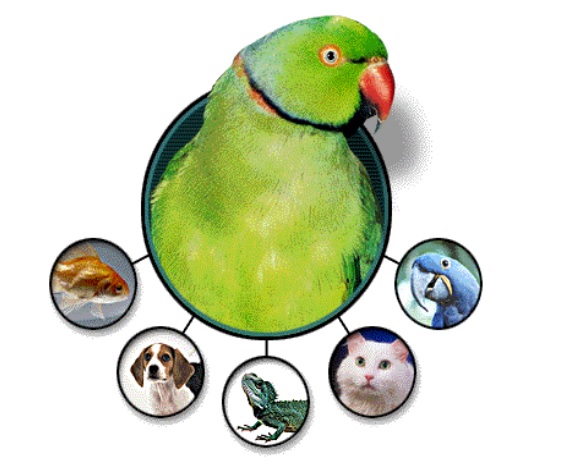
- There should be different categories of pets that can be bought. These are: fish, dog, reptile, cat and bird.
- Members will be able to purchase any pets they want to buy.
Functional Requirements
Main Page
- Main page must display the header, footer and the categories of the pets in the body.
- Header must include the logo, buttons for user’s cart, sign in and help, and a search bar. If the user is signed in, sign in link will change to ‘sign out’.
- Footer must include the link to the store’s blog and social media.
- Body must include following categories: fish, dog, reptile, cat, bird and clicking on each category will lead to the corresponding product page.
- If the user is signed in, there will be a text displaying ‘Welcome {username}!’.
Header:
- Shopping cart icon must redirect to the user’s shopping cart, no matter if the user is signed in or not.
- Question mark icon must display a page with the guides for navigating around the website.
- Search bar must be a text input field and the ‘search’ button must redirect to the results page.
Search Results:
- If there is nothing entered before the search, results page must show a message for the user to enter keywords.
- If there are products including the keywords or letters from the search, they will be shown in a table with the fields of: Product Details (Rows will show the product image and the description), Product ID, and the Name.
Signing In
- Sign in page must prompt user to enter their username and password.
- Below the fields, there must be an option to register.
Registering
- Register page must ask for the following info:
- User Information: User ID, Password, Repeat Password
- Account Information: First Name, Last Name, Email, Phone, Address (City, State, Zip, Country)
- Profile Information: Language Preference (Dropdown with English and Japanese options), Favorite Category (Fish, Dogs, Reptiles, Cats, Birds), and tick boxes to enable MyList and MyBanner.
- If any information is missing and the ‘Save Account Information’ button is clicked, user will be prompted to enter the missing info with corresponding error messages.
- After the form is complete, the account will be created in the database.
My Account
- Same form that was used for registering must be used for the user’s personal account page. User will be able to update any field but the User ID.
- There will be a ‘My Orders’ link displaying a page showing a table with the fields of: Order ID, Date and the Total Price.
Product Page I
- Each product page should essentially look the same displaying a table of species of that animal with 3 fields: product details including the image and the explanation of the pet, Product ID, and the name. At the top-right, there will be a link to return back to the main page.
- In a product table, the Product ID field data must be clickable and clicking will lead to another table showing the available products from the chosen specie.
Product Page II
- The second product table must have the specie’s name as the title, and 4 fields in the table: Item ID, Product ID, Description, List Price, and a add to cart option with a button. Top-right of the page must display a link to go back to the first product (specie) table.
- Item ID data must be clickable and will lead to the specific product’s profile.
- Add to card option must lead to the Shopping Cart page.
Product Profile
- Product profile page must have a container with 7 rows: Picture and description of the product, Product ID, name, specie, status, price, and an add to cart option. Top-right link will redirect back to the second product table page.
Shopping Cart
- Shopping Cart page must also have a table with 8 fields: Item ID, Product ID, Description, In Stock, Quantity option with a number input field, List Price, Total Cost (Quantity*List Price).
- If the user input is not a positive integer, the product must be removed from the table.
- Last row of the table must show the Sub Total by adding up all the item’s total cost as well as an ‘update cart’ button.
- Whenever the user makes an update on the quantity, update cart button should be clicked to see the new subtotal.
- If there is at least one item in the cart, ‘proceed to checkout’ button will appear below the table.
Checkout
- Checkout page must have the details of the following info:
- Payment Details: Card Type (Dropdown with Visa, MasterCard and American Express), Card Number, Expiry Date
- Billing Address: First Name, Last Name, Address, City, State, Zip, Country, and a tick box for the optional ‘Ship to different address…’
- If all the information is accurate, a new page will be opened to confirm the details.
- Once the details are confirmed, the information entered as well as the items’ details will be displayed as a table.
 Funky QA